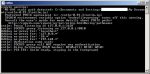
 In CNTLM we need to allow Gateway mode to allow other computers to connect trough our proxy. We used this in our corporate environment to allow docker images to be pulled from the web as docker does not have a nice way to hange proxies with NTLM authentication.
We changed cntlm.ini around line 70.
Uncommented Gateway flag
# Enable to allow access from other computers
#
Gateway yes
And for additional security specify specified who is allowed to connect to our proxy.
# Useful in Gateway mode to allow/restrict certain IPs
# Specifiy individual IPs or subnets one rule per line.
#
Allow 10.10.10.1
Allow 127.0.0.1
Allow 10.0.75.0/24
Deny 0/0
Be careful as docker for windows (not talking about docker toolbox) is not running under localhost, but its running in its own vhost environment. This means that you must specify the proxy in docker as http://10.10.10.1:3128/ and not use localhost or 127.0.0.1.
Have a nice day.
